Schwab Mobile
- 3.1
- Rating
- 5.00M
- Installs
- Free
- Price

 Analysis by App-foxy
I approached Schwab Mobile as the kind of finance app you open when several money tasks collide: checking an account, researching an investment, placing a trade, or moving from banking information to a decision. That combination is its main appeal. Instead of treating investing and everyday account management as separate activities, it puts them under one mobile experience from The Charles Schwab Corporation.
My overall impression is positive but measured. The app feels most useful for people who already have a Schwab relationship and want a practical companion for monitoring and acting while away from a desktop. It is free, rated for Everyone, and has been available since May 25, 2011. Its average rating sits at 3.0 from roughly 29 thousand ratings, while more than a million people have installed it. Those figures suggest a broad audience, but they also hint that the experience is not equally smooth for every user.
Following one money task from concern to outcome
I find it helpful to begin with the concern behind a money task, rather than opening an app and tapping around without a plan. This section follows how I establish what needs attention, weigh the information in front of me, and decide whether the next step belongs on a phone or deserves more time on a larger screen. That distinction sets up the practical workflow that follows.
You May Also Like

 Blood Strike: 2.5 Anniversary
Blood Strike’s Loadouts Turn Every Drop Into a Tactical Gamble
A close look at Blood Strike’s custom loadouts: how fast access to signature weapons reshapes its battle royale rhythm, rewards preparation, and narrows the gap between fights.

 Pandora - Music & Podcasts
Pandora’s Music Is Easy to Start, but Harder to Recover
Pandora’s strength is its low-effort path from a seed to a station. Its weak spot is how much confidence it asks you to place in connection, setup, and quiet recovery.

 8 Ball Pool
 Is Built on Rivalries, Rematches, and Routine
A close look at the rivalries, rematches, shared routines, and unanswered safety questions that turn a quick pool match into a persistent mobile community.

 Samsung Music
’s Quiet Strength Is Playing What You Already Own
Its reach comes less from spectacle than from dependable access to a personal library. That simplicity is both the app’s strongest retention engine and its ceiling.

 AccuWeather: Weather Radar
AccuWeather Review: A Quick, Clear Forecast for Everyday Decisions
For everyday plans, the best forecast is the one you can understand quickly. AccuWeather makes rain timing, radar, and local conditions easy to act on, with a few trade-offs.

 Hill Climb Racing
Why Hill Climb Racing Still Turns Crashes Into One More Run
A tiny car, a bumpy hill and one more upgrade: Hill Climb Racing keeps resurfacing because its simple chaos makes every near-miss feel personal.
More From Our News Desk



Starting with a real everyday situation
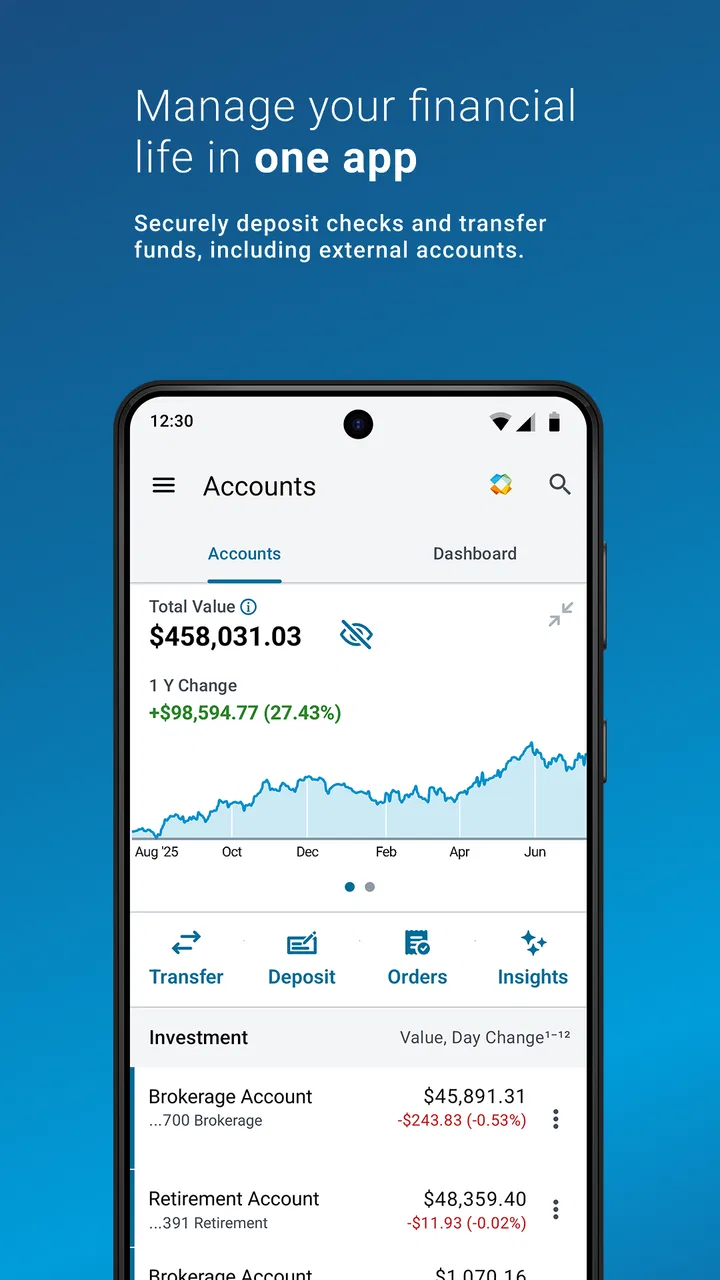
Imagine I am away from home and remember that I need to review a position before the market moves. I also want to see whether cash is available and check recent account activity. In a typical setup, that can mean switching between a banking app, a brokerage app, a research website, and perhaps a separate trading tool. Schwab Mobile is designed around reducing that split.
I would begin by opening the app to get a current view of my Schwab accounts. The first useful question is not “What should I buy?” but “What is actually available?” Looking at balances and recent activity before researching prevents a common mistake: making a decision based on an assumed cash position or overlooking a transaction that has already changed the account picture.
This is where the app’s all-in-one approach makes practical sense. The same place can support account review, research, banking tasks, and trading. That does not automatically make every action faster, but it gives the workflow a clear starting point. I do not have to begin with a ticker symbol when the real need is simply understanding my financial position.
Moving from account information to research
Once I know what I am looking at, I can move into research instead of jumping straight to an order. That distinction matters on a phone. A small screen encourages quick taps, and quick taps can turn a passing thought into an expensive decision. I prefer using the research stage to slow myself down: confirm the investment name, inspect the available information, and decide whether the idea fits my purpose.
The app is particularly convenient when my research begins with something already in my Schwab accounts. I can review the holding, consider whether I am checking it for a long-term reason or a short-term one, and then decide whether any action is justified. This is a better mobile habit than opening the app only when I have already decided to trade.
A useful personal rule is to separate observation from execution. I may look up an investment while commuting or during a short break, but I do not need to place an order immediately. Schwab Mobile supports that kind of two-stage workflow: first gather enough context, then return to the account and act only when the decision is clear.
Turning research into a trade or account action
When I do decide to trade, the handoff from research to action is the point where attention matters most. I would check the selected investment again, review the order details carefully, and make sure the action matches my intention. On a desktop, it is easier to keep several pieces of information visible. On a phone, I have to be more deliberate because the interface naturally presents one piece of the process at a time.
This is one of the app’s strengths and one of its limitations. Having trading in the same application is convenient, especially when I am responding to a personal account need rather than conducting elaborate analysis. At the same time, convenience can create a false sense that a trade is as simple as a tap. I would not use the mobile format as an excuse to skip reviewing the order.
For a straightforward portfolio check or a simple transaction, the flow feels sensible. For a complicated strategy, I would rather use a larger screen first. The mobile app can be the place where I monitor or complete a prepared decision, while a desktop environment is often better for comparing several ideas and keeping detailed notes visible at once.
Handling the handoff between investing and banking
The banking side is important because investment decisions do not happen in isolation. I may need to verify whether money is in the right account, review a recent movement, or understand how a banking task affects the cash I expect to use. Schwab Mobile brings those concerns into the same app rather than forcing me to reconstruct the picture from unrelated services.
That handoff is most valuable when timing is less important than clarity. For example, before acting on an investment idea, I can review account activity and confirm that my available funds make sense. Afterward, I can return to the account view and check whether the result is reflected as expected. The app therefore works as a bridge between “I need to understand my money” and “I need to do something with it.”
I would still avoid treating every displayed balance as a reason to act immediately. Financial accounts can involve different kinds of balances and transaction states, and a mobile summary is not a substitute for reading the details of what I am doing. The convenience is real, but the responsibility for interpreting the information remains with me.
What the complete workflow feels like
In my preferred routine, the process has five deliberate stages. I start with the account view, inspect activity, research the relevant investment, review the proposed action, and then return to the account afterward. That final check is easy to skip, but it is the step that turns a tap into a completed workflow.
The outcome is not simply that I placed a trade or checked a balance. The better outcome is that I know why I opened the app, what information I used, and what changed after I acted. Schwab Mobile is at its best when it helps me keep those stages together without making me move between several unrelated tools.
The most useful habit is to use the app as a decision workspace, not merely as a trading button. That means opening it to establish context, using research to challenge an impulse, and checking the account again after the action. This approach also makes the app more useful for people who trade infrequently but still want active control over their finances.
Small-screen friction and where the flow breaks
The workflow breaks when I need a broad, detailed view of many things at once. A phone is excellent for checking a position, reviewing activity, or handling a focused task. It is less comfortable when I want to compare multiple investments, analyze a complex portfolio decision, or keep extensive research visible while making a careful plan.
Another possible point of friction is the app’s broad scope. Combining banking, research, investing, and trading is convenient, but it also means the experience has to serve different kinds of users. Someone who wants only a very simple banking tool may find the investment presence unnecessary. Someone who wants an advanced trading workstation may find a mobile, all-purpose design less satisfying than a specialized platform.
The average rating of 3.0 is worth considering before installation. I would not treat it as a final verdict, because ratings often combine different expectations and account situations, but it does tell me to keep expectations realistic. The app has a large audience and around 13 thousand written reviews, yet a substantial user base does not guarantee that every screen or workflow will feel equally polished on every device.
Who gets the most from it
I think Schwab Mobile is a strong fit for an existing Schwab customer who wants one place to monitor accounts, research investments, handle banking-related tasks, and trade without being tied to a computer. It is especially useful for someone whose needs change from day to day. One day I may only check activity; another day I may research a holding or act on a prepared decision.
It also suits investors who value continuity more than specialized depth. Keeping the account context, research process, and action in one application can reduce the mental overhead of switching tools. That is a meaningful advantage for a person managing personal finances rather than operating a full-time trading desk.
I would recommend it to a careful mobile user who is comfortable reviewing details before confirming an action. The app can make routine financial work more accessible, but it rewards patience. If I use it as a quick shortcut and ignore the information around the final action, I am using its convenience badly.
Who should choose another approach
I would look elsewhere if my priority were a dedicated, highly specialized trading environment rather than a combined finance app. A larger-screen platform may be better for intensive research, complex comparisons, or workflows that depend on seeing many details simultaneously. In that situation, Schwab Mobile can still be useful as a monitoring companion, but I would not make it my only workspace.
I would also hesitate if I wanted a minimal app with no investing-related breadth. The all-in-one design is the reason to choose it, so it is not automatically an advantage for someone who wants a narrowly focused banking experience. The right choice depends on whether I value having several financial functions together or prefer separate tools with simpler individual purposes.
Practical ways I would use it
My first tip is to open the app before forming an opinion about an investment. Checking account activity and available context first can prevent decisions based on outdated assumptions. My second is to treat research and order placement as separate moments, even if both happen during the same session. That small pause is valuable on a touchscreen.
My third tip is to use the app for the parts of investing that benefit from mobility, then move to a larger screen when the decision becomes complicated. This is not a criticism of the app; it is a sensible division of labor. Mobile access is excellent for staying connected to an account, while a desktop is often better for deep comparison and planning.
Finally, I would make a habit of checking the account after completing an action. That closing step helps confirm that I understood what I submitted and keeps the workflow tied to an actual result. It also makes the app more than a place for alerts or impulses: it becomes a record of what I reviewed and what I chose to do.
My closing view
Schwab Mobile succeeds because it connects several financial jobs that are often scattered across separate applications. I can begin with an account question, move into research, complete a banking or trading task, and return to see the result. That complete path is more valuable to me than any single feature considered in isolation.
It is not the perfect tool for every investor. The mobile format can make detailed analysis less comfortable, and the broad feature set may feel excessive to someone seeking a very simple banking app. The middling average rating also suggests that prospective users should approach it with practical expectations rather than assuming a flawless experience.
Still, for a Schwab customer who wants everyday access to investing and banking in one free finance app, I find the concept genuinely useful. I would recommend installing it when the goal is to stay informed, handle focused tasks, and carry a prepared financial workflow with me. I would pair it with a larger-screen process for complex decisions, but as a mobile companion from The Charles Schwab Corporation, it offers a sensible route from checking what is happening to deciding what to do next.
FAQs for Schwab Mobile
01What features does Schwab Mobile offer?
Schwab Mobile provides a comprehensive suite of features, including real-time stock quotes, market news, and the ability to trade stocks, ETFs, mutual funds, and options. Users can also manage their accounts, transfer funds, and deposit checks via mobile check deposit. Additionally, the app offers financial planning tools and alerts to stay updated with market movements.
02Is Schwab Mobile safe to use?
Yes, Schwab Mobile employs robust security measures to protect user information. These include encryption, secure login features like fingerprint or Face ID, and two-factor authentication. Schwab also provides security alerts to help monitor unusual account activity, ensuring users' data and financial assets are safeguarded against unauthorized access.
03Can I access Schwab Mobile on both Android and iOS devices?
Absolutely. Schwab Mobile is available for download on both Android and iOS platforms. Users can find the app in the Google Play Store for Android devices and the Apple App Store for iOS devices. This cross-platform availability ensures users can manage their investments from virtually any smartphone or tablet.
04Does Schwab Mobile support international trading?
While Schwab Mobile offers extensive trading options within the U.S. markets, users looking to trade internationally may have limitations. It's advisable to check directly with Charles Schwab for details on international trading capabilities and any associated fees. The app primarily focuses on U.S.-based investment options.
05Are there any fees associated with using Schwab Mobile?
Schwab Mobile itself is free to download and use. However, users should be aware of potential fees associated with specific trading activities, such as options trades or broker-assisted trades. It’s important to review Charles Schwab’s fee schedule to understand any costs that might apply to your investment activities through the app.
Pros
- User-friendly interface for easy navigation.
- Real-time updates on market movements.
- Secure login with biometric authentication.
- Comprehensive portfolio management tools.
- Access to a wide range of investment options.
Cons
- Limited customization for notifications.
- Occasional lag during high traffic times.
- No cryptocurrency trading available.
- Advanced features can be overwhelming.
- Some features require a web login.

Schwab Mobile
Gallery